
Assign a Deck to a Classroom from the Dashboard
Assign a prepared deck to a classroom so students can open it through that classroom's address.
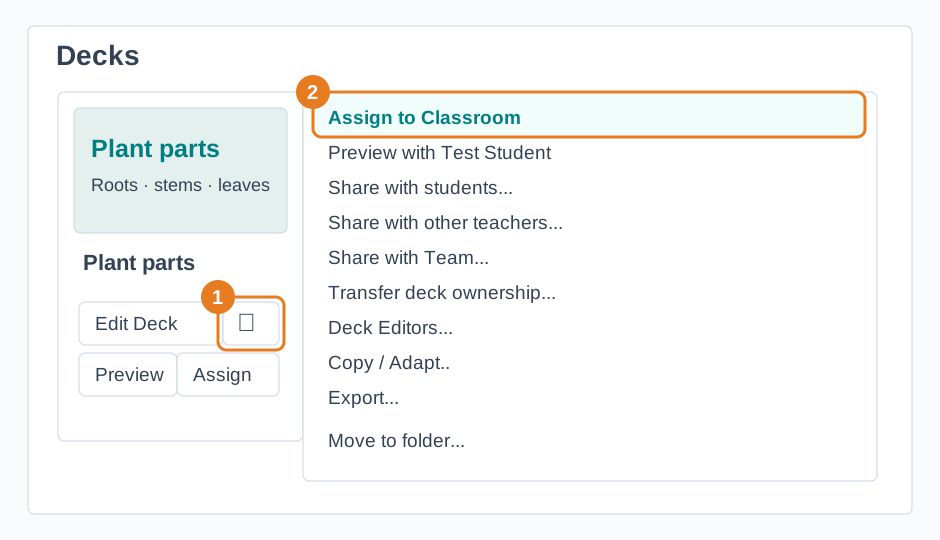
- Open My Dashboard and find the deck you want to use.
- Open the deck's menu and choose Assign to Classroom.
- Select the classroom. An unchecked box means the deck is not assigned there yet.
- Find the classroom under Classrooms and check that the deck appears there before students join.
A checked box means the deck is already assigned. Selecting it again removes that assignment. Share the classroom address with students when you are ready; use Teacher's View to open the classroom.