
Word Search
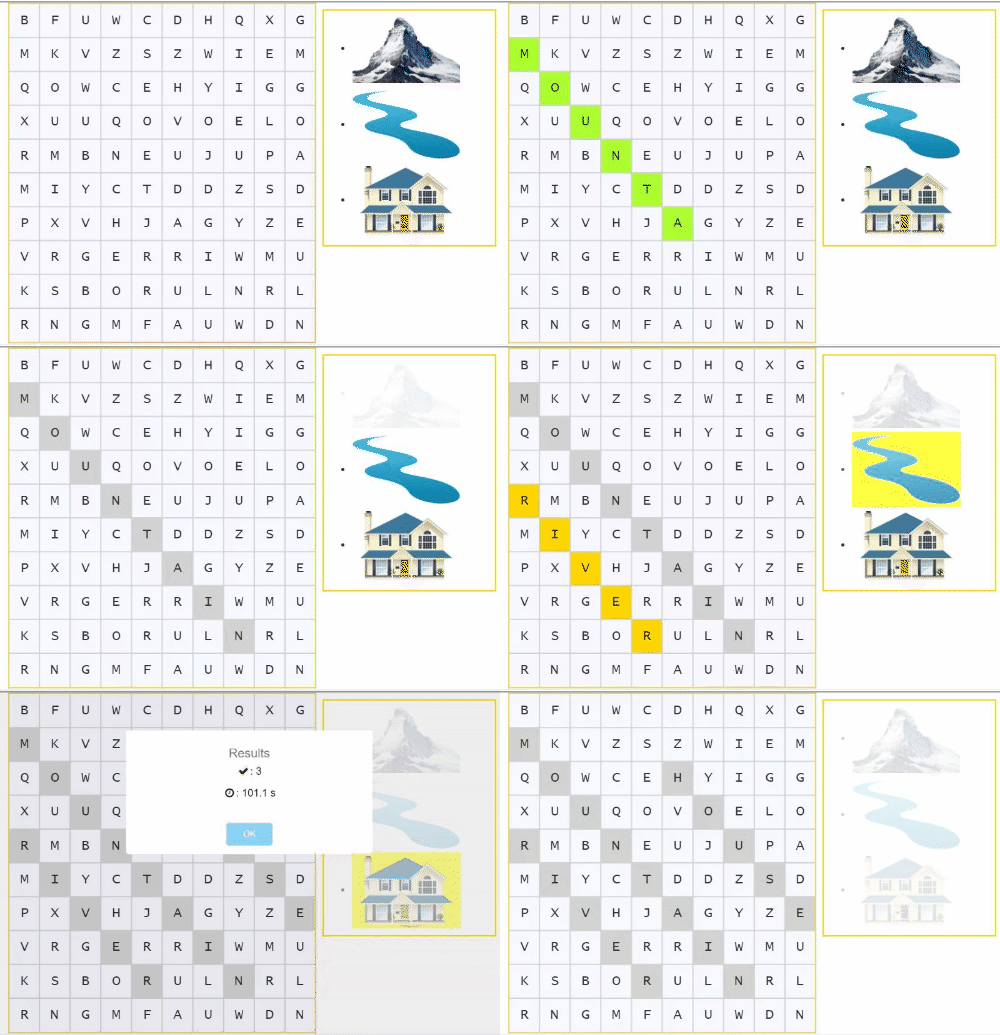
Word Search uses the terms in the Study Set to build a hidden-word puzzle. Use alphabetic terms of up to 14 letters, without special characters. The game uses up to six words from the selected Study Set.
When the word has been found, it will be highlighted, and the definition (or image) will disappear from the list. The words can be formed diagonally and read backwards as well. Students must have successfully searched for all words before the activity is marked as completed.
If your Study Set has more than six suitable words, select the ones you want to use.

Play modes
Supported content: Study Sets and Question Sets.
- Multiplayer (Classroom): The teacher launches Word Search from the Classroom. Students find hidden words in the puzzle in a shared round.
- Challenge: Two students play the activity in the deck and find the same hidden words.
- Single Player: A student opens the activity in the deck to complete the word search independently.
- Solo Arcade: The student’s Solo chooser contains Arcade Games, so this Classic Game is unavailable there.