
Refine a Generated Lesson
After Generate Lesson, review the lesson before you choose Generate Deck. You can improve one section without starting the whole lesson again. For example, ask for simpler wording, another question, or a clearer definition.
Preview and apply a change
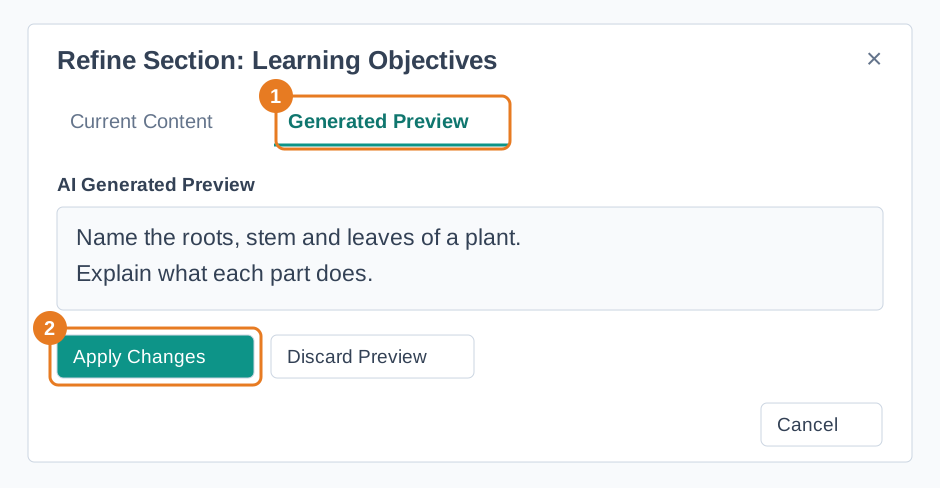
- Find the section you want to change and choose Refine with AI.
- In Current Content, read the section and answer How would you like to change this section? Describe one clear change.
- Choose Generate Preview. Open Generated Preview to compare the proposed wording with the current content.
- Choose Apply Changes if it fits your lesson, or Discard Preview to keep working on your instruction.
Check the revised facts, questions, and answers in the full lesson. You can refine another section if needed. Once the lesson is ready, choose Generate Deck and preview the saved deck before using it with students. See Create a Lesson with Lesson Creation Wizard for the full workflow.