
Upload Your Own HTML Apps
Add a web app you already have to a Deck.Toys slide, such as a simulation, mini game, or subject-specific practice tool.
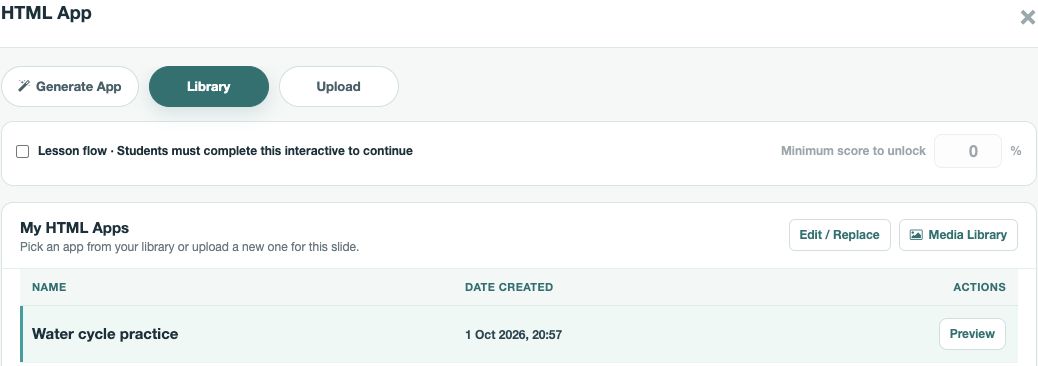
Upload and check the app
- Open the Slide Activity and select HTML App.
- In Upload HTML App, choose a standalone
.htmlfile or a.zippackage withindex.htmlat its root. Enter a clear Title. - Select Upload & add to slide. Use Preview to check that the app opens, its controls work, and its content fits the student view. You can also preview the deck before assigning it.
Reuse or update it
Your uploaded app appears in My HTML Apps. On another slide, open HTML App, select it in Library, and choose Use Selected HTML App. To update a saved app, use Edit / Replace. The replacement stays linked to slides that already use it, so preview those slides again before class. If the app should block progression until completed, check its Lesson flow settings before sharing the deck with students.