
Use a Deck as a Lesson Reference
You can use an existing deck to guide a new lesson when you want to teach a topic at a different level or take it in a new direction. The Wizard creates a new lesson for you to review; your selected deck remains available separately.
Choose a reference deck
- Open Lesson Creation Wizard and find Provide Reference Material (Optional).
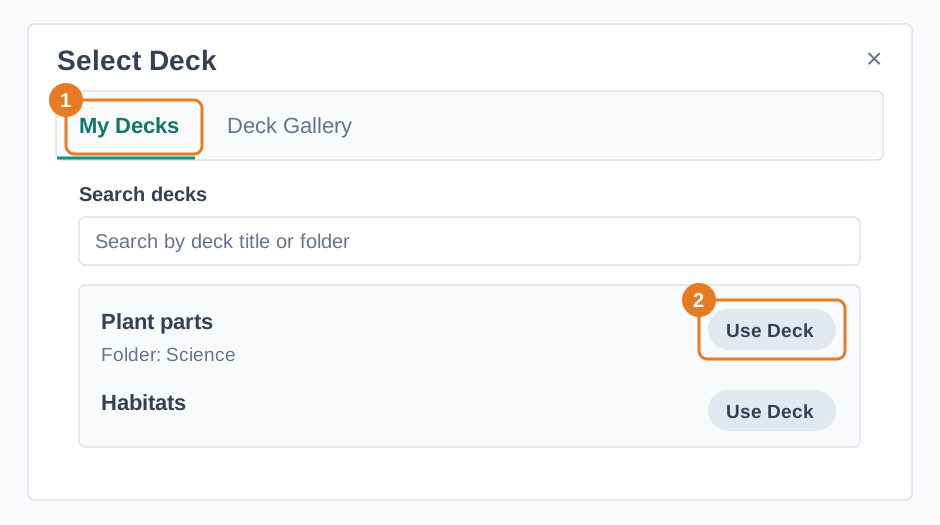
- Choose Select Deck. Use My Decks to find one of your decks, or Deck Gallery to browse shared examples. In My Decks, you can use Search decks to find a title or folder.
- Choose Use Deck and check that the correct deck appears under Selected deck.
- Add a Lesson Topic or Learning Objectives explaining what the new lesson should cover. Choose Generate Lesson.
Check the proposed content against your learning goal. When it is ready, choose Generate Deck, then preview the new deck before assigning it to a classroom. If you simply need an editable copy of the original deck, see Copy and Adapt Decks.