
Study Sets or Question Sets?
Use a Study Set for short terms and definitions, such as vocabulary, dates, or key concepts. Use a Question Set when students need to answer a complete question and choose from possible answers.
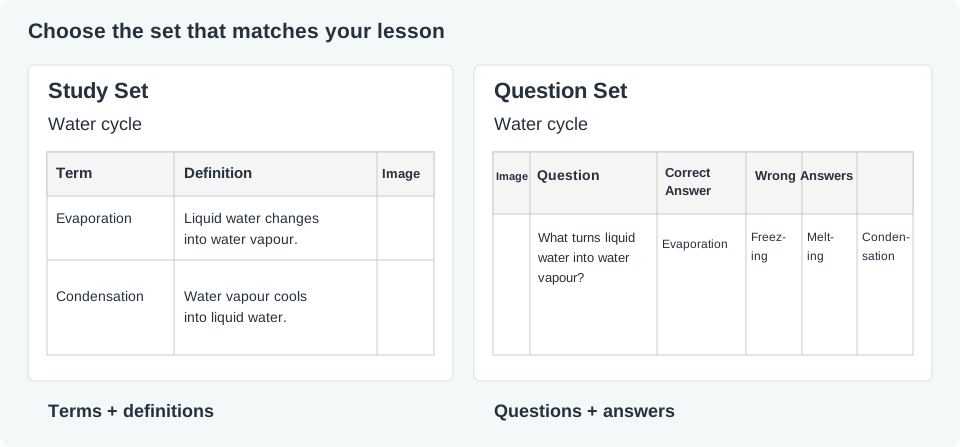
Choose your set
- Study Set: “Evaporation” → “Liquid water changes into water vapour.” Useful for matching, recall, and vocabulary practice.
- Question Set: “What happens during evaporation?” → the correct answer and different wrong answer choices. Useful for checking understanding and discussing misconceptions.
In Deck Builder, open Manage Sets or choose Study Set or Question Set beside the map. Write your own content, import material, or use the available AI options. Check every answer before using it with students.
Choose a compatible game
Select your set when configuring a Set Game. Games have different content requirements; the editor checks compatibility. If a game does not accept your set, choose another game or create the other set type.
Use Preview Deck to check that questions, answers, and images are easy to read. Then assign the deck to your classroom.