
Hands Up!
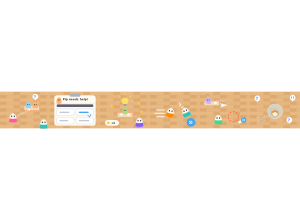
Hands Up!: Students race around a classroom to help mini-students with their worksheets.
Set up
Create a Set Game, choose Hands Up! in the game picker, and preview it before sharing with students. Choose a Study Set or Question Set for its questions.
How students play
- Race to a raised hand. A mini-student needs help! Walk, tap the floor or drag to get to their desk first.
- Help with their worksheet. Their worksheet shows the question. Pick the answer that helps them.
- Earn stars. Right answers light up an idea and earn stars. Missed one? Try another answer after 3 seconds.
Play modes
- Multiplayer: The class races through one shared classroom, reaching raised hands and answering worksheets while the teacher follows the action.
- Challenge: Two students race each other to help the mini-students and earn stars.
- Single Player: One student helps the mini-students with computer rivals in the room.
- Solo Arcade: After completing the deck, a student can choose Hands Up! in Student's View for the Single Player game, when Arcade play is enabled and they have Arcade time.
Good to know
Space, Shift or DASH gives a burst of speed and bumps rivals out of your way.
Teacher tip
Use a short round first so students can learn to move, answer and dash.