
Splat Party
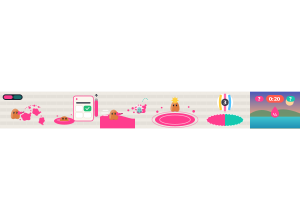
Splat Party: Teams race to cover the pier in their colour, answering questions to refill their ink.
Set up
Create a Set Game, choose Splat Party in the game picker, and preview it before sharing with students. Choose a Study Set or Question Set for its questions.
How students play
- Spray your colour. Hold SPRAY, Space or the mouse to paint the floor. The team with the most turf wins.
- Refill with a question. Low on ink? Tap REFILL, dive into your paint and answer to fill your tank.
- Splat and speed. Your own paint makes you faster. Hit rivals to splat them; they jump back from their pad.
Play modes
- Multiplayer: Classroom teams spray a shared arena and try to cover it in their colour.
- Challenge: Two students paint and splat against each other in the same arena.
- Single Player: One student paints against computer rivals.
- Solo Arcade: After completing the deck, a student can choose Splat Party in Student's View for the Single Player game, when Arcade play is enabled and they have Arcade time.
Good to know
Every two correct answers charge a giant slam that paints a big circle.
Teacher tip
Explain that a correct answer refills ink; students still need to paint to score.