
Sprinkle Sprint
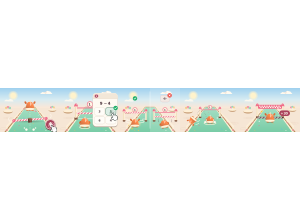
Sprinkle Sprint: Students run a candy obstacle course and answer at each checkpoint to keep moving.
Set up
Create a Set Game, choose Sprinkle Sprint in the game picker, and preview it before sharing with students. Choose a Study Set or Question Set for its questions.
How students play
- Run and jump. Drag, or use WASD or the arrow keys, to run. Tap JUMP or press Space to hop the candy bars.
- Answer at the gate. Each checkpoint holds you at its barrier. Pick the matching answer on the card to open it.
- Right answer, speed boost. A right answer lifts the barrier and boosts you. A wrong one is crossed out; wobble, then try again.
Play modes
- Multiplayer: The class races along one candy course, answering at checkpoints under a shared clock.
- Challenge: Two students race each other through the checkpoints.
- Single Player: One student runs the course with computer racers.
- Solo Arcade: After completing the deck, a student can choose Sprinkle Sprint in Student's View for the Single Player game, when Arcade play is enabled and they have Arcade time.
Good to know
Fall off the course and you pop back at your last checkpoint.
Teacher tip
Preview the jump and the first answer gate before a class race.