
Pinball Planet
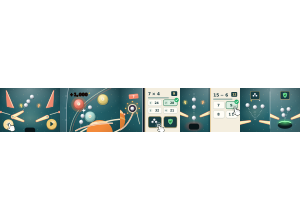
Pinball Planet: Students play pinball, scoring with the ball and answering questions for power-ups.
Set up
Create a Set Game, choose Pinball Planet in the game picker, and preview it before sharing with students. Choose a Study Set or Question Set for its questions.
How students play
- Flip to keep it alive. Tap the left or right pad (or use the arrow keys) to flip and send the ball back up.
- Hit bumpers for points. Bumpers, ramps, drop targets and the jackpot all add to your score.
- Answer at the ? scoop. When the ball stops in the ? scoop, answer right, then pick one of two power-ups.
Play modes
- Multiplayer: The class plays a shared pinball round, with live scores and answer-powered bonuses.
- Challenge: Two students compete for the higher pinball score.
- Single Player: One student keeps the ball in play and tries to improve a personal score.
- Solo Arcade: After completing the deck, a student can choose Pinball Planet in Student's View for the Single Player game, when Arcade play is enabled and they have Arcade time.
Good to know
If your last ball drains, a question opens; a new ball launches once you answer.
Teacher tip
Show students the two flippers and the question scoop.