
Ski Slalom
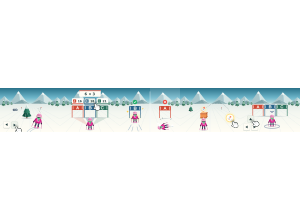
Ski Slalom: Students steer down a snowy slope and answer by choosing the right gate.
Set up
Create a Set Game, choose Ski Slalom in the game picker, and preview it before sharing with students. Choose a Study Set or Question Set for its questions.
How students play
- Steer down the slope. Your skier goes by itself. Steer with ◀ ▶, the arrow keys or a drag to dodge trees and rocks.
- Pick your gate. Tap the answer above a gate, or press A, B or C, and your skier heads for that gate.
- Right gate, speed boost. The right gate gives you a burst of speed. A wrong gate means a tumble and the same question again.
Play modes
- Multiplayer: The class skis one slope under a shared clock, answering at gates and comparing progress.
- Challenge: Two students race down the slope and through the answer gates.
- Single Player: One student skis with computer racers.
- Solo Arcade: After completing the deck, a student can choose Ski Slalom in Student's View for the Single Player game, when Arcade play is enabled and they have Arcade time.
Good to know
Ski into a crate for a power-up, then tap the power button or press Space to use it. A shield works on its own.
Teacher tip
Show how answer gates work: students can tap an answer or steer through a gate.