
Taxi vs Police
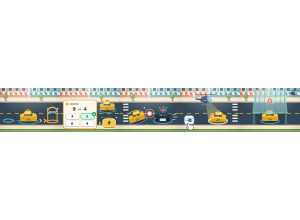
Taxi vs Police: Students drive taxis or police vehicles, answering questions to power their chase.
Set up
Create a Set Game, choose Taxi vs Police in the game picker, and preview it before sharing with students. Choose a Study Set or Question Set for its questions.
How students play
- Deliver passengers. As a taxi, pick up your waving passenger, answer their question, then follow the gold arrows to the checkered arch.
- Answer to charge up. A right answer charges your power. Tap it or press Space: taxis get a boost, police switch on the siren.
- Police catch taxis. As police, answer dispatch, switch on your siren and drive right up to a taxi to tag it.
Play modes
- Multiplayer: Students share one city as taxis and police; taxis deliver passengers while police try to tag them.
- Challenge: Two students take taxi and police roles in the same city, then swap roles halfway through the round.
- Single Player: One student drives against computer-controlled traffic and rivals.
- Solo Arcade: After completing the deck, a student can choose Taxi vs Police in Student's View for the Single Player game, when Arcade play is enabled and they have Arcade time.
Good to know
Police can switch to a helicopter and fly over blocks. Switch on the spotlight and hold it on a taxi to tag it.
Teacher tip
Explain the taxi and police roles before a class round.