
Castle Crash
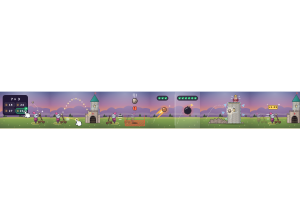
Castle Crash: Students answer to load a catapult, then aim at the castle walls and keep.
Set up
Create a Set Game, choose Castle Crash in the game picker, and preview it before sharing with students. Choose a Study Set or Question Set for its questions.
How students play
- Load your catapult. Answer correctly to load a boulder into your catapult.
- Aim and release. Drag right to aim farther, then release to launch the boulder.
- Dodge the red zones. Move out of a red zone before it lands, or you'll be stunned and lose your streak.
Play modes
- Multiplayer: The class shares a castle battle, answering to load catapults and launching boulders together.
- Challenge: Two students face each other across the castle arena.
- Single Player: One student aims and fires against computer opponents.
- Solo Arcade: After completing the deck, a student can choose Castle Crash in Student's View for the Single Player game, when Arcade play is enabled and they have Arcade time.
Good to know
Three correct answers in a row load fire boulders; six in a row load a bomb.
Teacher tip
Encourage students to aim at the walls before attacking the keep.