
Voltball Arena
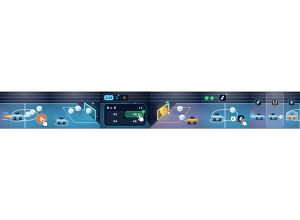
Voltball Arena: Students drive an arena ball through a gate, then answer to turn the shot into a goal.
Set up
Create a Set Game, choose Voltball Arena in the game picker, and preview it before sharing with students. Choose a Study Set or Question Set for its questions.
How students play
- Boost into the ball. Drive into the Voltball; hold boost (bolt button, Space or Shift) to hit it harder.
- Shoot through the gate. Send the ball into the glowing cyan Pulse Gate to open a scoring question.
- Answer to score. A correct answer scores the goal; a miss and the gate knocks the ball back into play.
Play modes
- Multiplayer: The class plays in one Voltball arena, driving, defending and answering to turn shots into goals.
- Challenge: Two students face each other in a head-to-head Voltball match.
- Single Player: One student plays a match against computer drivers.
- Solo Arcade: After completing the deck, a student can choose Voltball Arena in Student's View for the Single Player game, when Arcade play is enabled and they have Arcade time.
Good to know
When a shot reaches your goal, a correct Pulse Shield answer saves it, once per kickoff.
Teacher tip
Demonstrate the Pulse Gate: a shot counts only after the question is answered correctly.