
Sky Aces
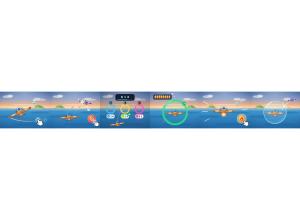
Sky Aces: Students fly through answer rings and tag rival planes with foam darts.
Set up
Create a Set Game, choose Sky Aces in the game picker, and preview it before sharing with students. Choose a Study Set or Question Set for its questions.
How students play
- Steer your plane. Drag across the sky to steer. Arrow keys or WASD work too.
- Tag rival planes. Tap to fire foam darts at planes ahead. Three tags pop a plane.
- Fly the right ring. Steer through the ring with the right answer, or tap its answer button.
Play modes
- Multiplayer: The class flies in one sky, tagging rival planes and answering in flight.
- Challenge: Two students duel in the air and fly through answer rings.
- Single Player: One student flies against computer pilots.
- Solo Arcade: After completing the deck, a student can choose Sky Aces in Student's View for the Single Player game, when Arcade play is enabled and they have Arcade time.
Good to know
A right answer refills all your darts. Run out, and a new set of rings comes to you.
Teacher tip
Show students how to steer through an answer ring before the first dogfight.