
Quick Quiz
Quick Quiz
A speed quiz scored by correct answers and time
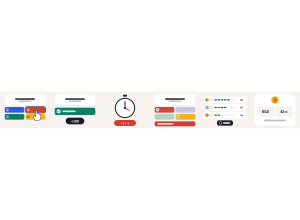
Set up
Create a Set Game and choose Quick Quiz in Classic Games. Use a Study Set with at least two different answers, or a Question Set with answer choices. Use Preview to play or watch Demo Mode.
Choose 5, 10, 15, 20 or all questions, up to 60. The default is 10. Each question allows 15, 30 or 60 seconds; the default is 30. Long questions get 15 extra seconds.
How students play
- Tap one answer. Read the question and tap the answer you think is right, or press 1 to 4. One tap locks it in.
- +100 for every right answer. Each correct answer is worth 100 points.
- Every second costs 1 point. The clock only runs while a question is on screen, so answer as fast as you can.
- Missed one? A wrong answer shows the right one straight away, then the next question comes up.
- Race your class. Everyone gets the same questions. The big screen shows who is ahead.
- Correct answers and time. At the end you see how many you got right, your time, and every answer to review.
Play modes
- Multiplayer: The teacher launches a class race. Everyone starts together, and the projector shows live standings and team scores.
- Challenge: Two students race through the same questions.
- Single Player: Race three practice rivals through the same questions.
Quick Quiz is a Classic game and is not in the Solo Arcade chooser.
Teacher controls
Use Launch and Configure to start with the selected set and settings. Finish race ends the round and keeps the results visible; End closes the game. Open Report to see each student's correct answers, wrong answers, score and time.
Teacher tip
Start with 5 questions and familiar answers. Speed helps, but getting more answers right usually matters more.