
Sled Race
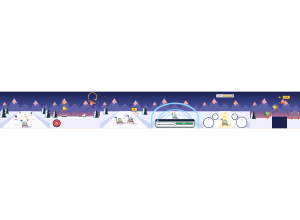
Sled Race: The whole class rides one snowy mountain at dusk. Students steer around pines and snowmen, bump each other, and answer a question in each ice tunnel to earn Turbo.
Set up
Create a Set Game and choose Sled Race in the game picker. Use a Study Set with terms and definitions, including images, or a Question Set. Choose Preview to watch a short demo run before class.
Configure sets the round length: Quick · 1:00, Standard · 2:00 (the default) or Extended · 3:00. Launch starts the race for the class; the red End button stops it early.
How students play
- Steer down the mountain. Use the arrow keys, A and D, or drag on the snow. Go around trees and snowmen, and collect stars.
- Hop and spin. Press HOP, Space or tap the snow to jump over logs and rocks. Off a ramp, press again in the air to spin for points.
- Bump your classmates. Steer into a nearby sled to shove it sideways. Bump the rider with the Golden Sled to take it and score double.
- Ice tunnels give Turbo. Every ice tunnel asks a question while the sled steers itself, so nothing can hit a student who is reading. A right answer gives Turbo: smash through everything for double points. A wrong answer costs nothing; the same question comes back at the next tunnel with the wrong choice crossed out.
- Avalanche and crew. When the avalanche comes, get on a gold line. Students ride in small crews that fill a Rush meter together: when it is full, everyone in the crew scores double for a few seconds.
- The big jump. The round ends with a big jump for the whole class, then the results.
The first ice tunnel comes after some riding (about 15 seconds into a 2:00 round), so students learn to steer before the first question. Crashes never cost points: a tumbling sled pops back up and rejoins the pack.
Play modes
- Multiplayer: The whole class rides one slope on a shared clock. Classroom teams are used when you have set them; otherwise the class is split into two teams. The slope gets wider as more students join, for up to 60 students.
- Challenge: Two students race on one slope, bumping each other and trading the Golden Sled.
- Single Player: One student rides with five computer riders, two of them on the student's team.
- Solo Arcade: After completing the deck, a student can choose Sled Race in Student's View for the Single Player game, when Arcade play is enabled and they have Arcade time.
Scoring and finishing
Stars, close calls, jumps, spins, bumps, a dodged avalanche, the big jump and correct answers all score points. Turbo, Crew Rush and the Golden Sled each double points while they last. The activity is complete when time is up, whatever the score, even for a student who answered nothing. Winning the race and completing the activity are separate.
On the projector
The teacher view follows the pack down the mountain with live team scores, the Golden Sled holder and a play-by-play of bumps, Golden Sled steals and correct answers. At the finish it shows the top three riders and class awards. Use the expand button to show it full screen. Answers and scores appear in the teacher report.
Teacher tip
Keep answer choices short so students can read them quickly inside the tunnel, and show the class the HOP button before the first race.