
Light the Board
Light the Board
The class answers together to light every term on one board before time runs out
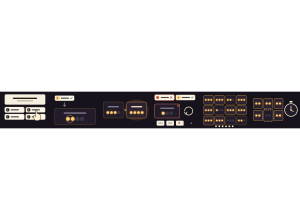
Set up
Create a Set Game and choose Light the Board in Classic Games. Use a Study Set with at least four terms, or a Question Set. Each term or question becomes one tile on the board. Study Set tiles show the term and students answer from its definition; Question Set tiles show the question and keep your wrong answer choices. Use Preview to play or watch Demo Mode.
Choose a Board size of 9, 16 or 25 tiles, or All terms (up to 40). The default is 16. A set with fewer terms makes a smaller board. Choose a Round length of 3, 5 or 8 minutes. The default is 5 minutes.
How students play
- Tap one answer. Read the card and tap the answer you think is right, or press 1 to 4 (or A to D). One tap locks it in.
- A right answer switches on a lamp. Every term is a tile on the board, and each tile has a row of lamps. A right answer lights one lamp on that term's tile.
- Fill every lamp to light the tile. When all of a tile's lamps are on, the tile is lit and stays lit.
- Missed one? You see the right answer and the tile flickers on the board. No lamp is lost. Tap or press Enter to carry on, and that term comes back to you after two other cards.
- One board for everyone. The whole class lights the same board. Nobody can light a tile alone, so classmates have to help finish it. Twice a round a short Power surge makes the dimmest tiles count double.
- Beat the clock. Light the whole board before time runs out. Tiles that stay dark are the ones to practise next.
Play modes
- Multiplayer: The teacher launches a class round. Students join a lobby, then everyone answers on their own device while the projector shows the whole board lighting up. The number of lamps on each tile is set from the class size, the board size and the round length, so an average class finishes near the end of the round. Students who join late play on the same board.
- Challenge: Two students light the same board. Each lamp belongs to the student who lit it, and a tile belongs to whoever gave it more lamps. The student with more tiles wins; more lamps, then fewer misses, break a tie.
- Single Player: Light a board on your own, with two lamps per tile, and try to beat your best: a faster full board, or more tiles lit. The clock pauses while the game is in the background.
Light the Board is a Classic game and is not in the Solo Arcade chooser.
Teacher controls
Use Launch and Configure to start with the selected set, board size and round length. The lobby shows who has joined and how many lamps each tile needs; press Start now to begin without waiting. Finish round ends the round for everyone and shows the results: how many tiles were lit, class accuracy, the terms that stayed dark with the answer chosen most often instead, and everyone who lit a lamp, in alphabetical order. Nobody is ranked. End closes the game. If you set up groups in your classroom, each lamp is ringed in its group's colour and the results show the lamps from each group.
Open Report to see each student's correct and wrong first answers, lamps lit and time. The report counts first answers only, so a term answered correctly after a miss does not change a student's correct or wrong count.
Teacher tip
A large class on a small board fills it quickly. If the board lights up early, choose a bigger board next time. If a small group cannot finish, choose a smaller one. The tiles that stay dark make a good list to reteach before the next round.