
Slow Reveal
Slow Reveal
Each clue develops like a photograph, and students lock in an answer the moment they recognise it for more points.
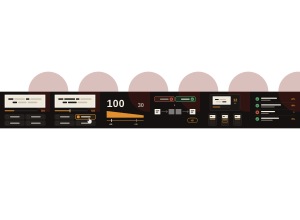
Set up
Create a Set Game and choose Slow Reveal in Classic Games. Use a Study Set with at least two different answers, or a Question Set. Study Sets can include pictures. For a Question Set, the clue is the question and the answers are your authored choices. Use Preview to play or watch Demo Mode.
Choose 6, 10, 15 or all clues, up to 60. The default is 10. Missed clues can come back for a second look, so a round can run a few clues longer.
How students play
- Watch the clue develop. Long clues appear a few words at a time, always in their real places. Pictures, maths and short clues start blurred and come into focus. The four answers are there from the start.
- Lock in when you recognise it. Tap an answer or press 1 to 4. One tap locks your answer for that clue, and it cannot be changed.
- Earlier is worth more. A right answer is worth 100 points at the start and falls to 30 once the clue is fully developed. Each clue develops over about 12 to 18 seconds, then stays open for 8 more seconds.
- Missed one? A wrong answer, or no answer before time runs out, scores nothing and shows the right answer. Missed clues can come back later for a second look worth 20 points.
- Your clues at the end. Students see their score, how many they knew first time, and how early they recognised each clue.
Play modes
- Multiplayer: The teacher launches a class round. Everyone watches the same clue develop at the same time, on their own device and on the projector. The projector shows who has locked in, but not who is right, until the clue closes. Then it shows the answer, when the class answered along the reveal, how the answers split and the fastest correct students. A clue closes when everyone has locked in or the time runs out. The two or three clues the class missed most come back at the end as a second look for everyone. Students who join late start on the next clue.
- Challenge: Two students see the same clue on the same clock. Each sees when the other locks in, but not their answer. The higher score wins; first-time correct answers, then the earlier average reveal, break a tie.
- Single Player: Watch each clue against three practice rivals and try to beat your best score.
Slow Reveal is a Classic game and is not in the Solo Arcade chooser.
Teacher controls
Use Launch and Configure to start with the selected set and number of clues. Start now skips the short wait before the first clue. Next clue closes the current clue at once; students who have not answered score nothing for it. Finish round ends the round for everyone and shows the results: class accuracy, the clues recognised earliest and the clues that needed the whole reveal. End closes the game. If you set up groups in your classroom, each group keeps its own colour on the projector.
Open Report to see each student's correct and wrong first answers, score and time. The report counts first answers only, so a second look does not change a student's correct or wrong count.
Teacher tip
Pause on Needed the whole clue in the results. Those are the clues your class could only recognise at the very end, which makes them a good place to start reteaching.