
City Delivery
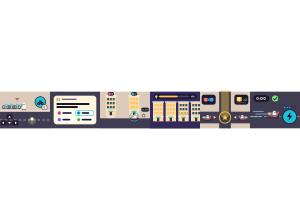
City Delivery: The whole class shares one open city at sunset. Students get around on foot, by rental bicycle or scooter, in a shared car or on a passing bus, pick up parcels and deliver each one to the address that shows the right answer. Every right delivery lights a building, and the class switches the whole city on before night falls.
Set up
Create a Set Game and choose City Delivery in the game picker. Use a Study Set with terms and definitions, including images and math, or a Question Set. Use Preview to play a round yourself or watch Demo Mode before class. City Delivery is a 3D game: if a device cannot show 3D graphics, the game says so instead of showing a blank screen, and another browser or device may work.
Configure sets the game length: Quick · 1:00, Standard · 2:00 (the default) or Extended · 3:00. Launch starts the round for the class; End stops it early.
How students play
- Get around. Students start on foot beside a rental dock. Up or W moves, Left and Right or A and D steer, and Down or S brakes and then reverses. On a touchscreen, drag anywhere on the screen. The round ride button, or E, gets on the bicycle, scooter, shared car or passing bus in reach, and off again; a small arrow bobs over whatever is in reach. A bus follows its own route, so students hop off to pick up or deliver.
- Pick up the order. Stop at the parcel box. The order card shows the question, and each lettered address in the city is one answer, marked by a coloured beam, a tag with the answer over the door and a pin on the map. An address that is off screen waits at the edge of the screen as an arrow with its letter and answer. Tapping an answer only draws GPS arrows to it. The card stays open until the student sets off, and the question stays at the top of the screen; tap it to open the full card again.
- Deliver to the right address. Stop in the address's bay; driving past does not count. A right delivery pays a tip, adds a star and lights the building. A wrong address is crossed off and costs no cash, and deliveries pause for 3 seconds before the student tries another.
- Light the city together. Every right delivery fills the class's City lights meter. Fill it before night falls and every building switches on, with a bonus for everyone.
- Rush jobs, Gold Rush and the Gold Crate. A rush job gives a classmate from another team or crew the same order: the first right delivery earns a bonus, and the other courier can still deliver for a normal tip. In a Gold Rush, a gold beam is announced a few seconds ahead and everyone races to reach it. The Gold Crate doubles tips until a rival bumps its holder and takes it; a teammate never can, and a wrong address drops it.
- Boost, and the end of the shift. Right deliveries fill the crew's shared boost tank, which holds five boosts. Any crewmate can use one with Space or the lightning button. Rush Hour, in the last quarter of the round, pays tips ×1.5. When time is up, the results appear over the lit city.
The first parcel comes after a short ride, so students learn to get around before the first question. A bump with traffic costs only a moment, and nothing is ever damaged.
Play modes
- Multiplayer: The whole class shares one city on one clock, for up to 60 students. The city grows with the class, from 3 × 3 blocks for a few students to 7 × 7 blocks for a full class. Students ride in small crews that share a boost tank. Classroom teams are used when you have set them: each team keeps its colour, crews stay inside a team, a teammate never takes the Gold Crate from you, and in a Gold Rush the team that gets the largest share of its couriers to the beam earns a bonus.
- Challenge: Two students deliver in a small city of their own. Every pickup can become a rush job against the other player, and the Gold Rush and the Gold Crate stay in play. Higher cash wins.
- Single Player: One student delivers alongside up to five computer couriers. Two of them share the student's boost tank; the others are rivals for rush jobs, the Gold Rush and the Gold Crate.
- Solo Arcade: After completing the deck, a student can choose City Delivery in Student's View for the Single Player game, when Arcade play is enabled and they have Arcade time.
Scoring and finishing
Every right delivery pays a tip, and deliveries in a row pay bigger tips. Coins along the streets, rush job wins, the Gold Rush and a fully lit city add more cash. Rush Hour pays tips ×1.5 and the Gold Crate doubles them. Each right delivery also adds a star, up to five; stars are never lost, and they make the student's ride a little faster. The activity is complete when time is up, whatever the score, even for a student who delivered nothing. Winning and completing the activity are separate.
On the projector
The teacher view shows the city from a slowly circling helicopter that drops in on the latest delivery, follows the Gold Crate and pulls out for the Gold Rush and the finish. It shows the clock, the City lights meter, the class's total deliveries, the top five couriers and a short feed of who delivered, who won a rush job and who took the crate. Play again starts a new round from the results. Each student's answers and score appear in the teacher report, and a Play again round is saved as a new attempt.
Teacher tip
Keep answers short: the tags over the addresses show two lines and the arrows at the screen edge show one, while the order card always shows the full text. Before the first round, show the class the ride button and the gold beam.