
Feed the Beast
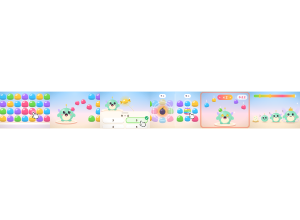
Feed the Beast: The class feeds a growing Chompling by popping candies and answering questions.
Set up
Create a Set Game, choose Feed the Beast in the game picker, and preview it before sharing with students. Choose a Study Set or Question Set for its questions.
How students play
- Pop candy groups. Tap two or more touching candies of the same colour to pop them.
- Feed your Chompling. Popped candy flies to the class beast. Bigger groups feed it more.
- Earn golden candy. Answer the question correctly to launch a golden candy worth 10 candies.
Play modes
- Multiplayer: The class pops candy to feed the same beast and build a shared total.
- Challenge: Two students race to feed their beast with bigger pops and golden candy.
- Single Player: One student pops candy and aims for a personal total.
- Solo Arcade: After completing the deck, a student can choose Feed the Beast in Student's View for the Single Player game, when Arcade play is enabled and they have Arcade time.
Good to know
Pop 7+ at once for a bomb or 9+ for a rainbow, then tap it for a big blast.
Teacher tip
Encourage students to look for larger matching candy groups.