
Rocket Roadster
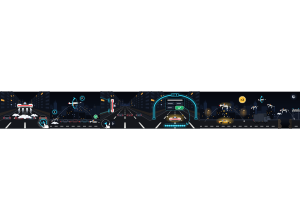
Drive a thruster roadster through a nighttime traffic jam. Jump the cars, land kickflips and help your crew build Rocket mode.
Set up
Create a Set Game and choose Rocket Roadster. Select a Study Set with terms and definitions or image prompts with answers, or a Question Set with answer choices. Each usable item needs an answer and a prompt or image. Use Preview to play or watch Demo Mode.
How students play
-
Jump and hover. Tap THRUST, Space or the road to jump over traffic. Hold to hover over taller vehicles. Steer left or right to find your route.
-
Land your stunts. Tap THRUST again in the air to kickflip. Finish the roll and land wheels down for style points. A wipeout returns you to the road or a vehicle roof without taking away points.
-
Ride the walls. Steer into a building to ride its wall; steer toward the wall to climb or away to descend. Tap THRUST to jump off.
Refill and help your crew
At an Air Arch, autopilot drives while you answer. A correct answer fills your tank, gives 8 seconds of unlimited air and double points, shares air with your crew and fills its Rocket meter. A wrong answer gives some air and shows the correct answer; the same question returns at a later arch with the rejected choice crossed out.
Controls
Use ←/→ or A/D to steer and Space, W or ↑ to thrust. Press 1–4 to answer or Esc to leave a question. With mouse or touch, use ◀, ▶ and THRUST, or press the road and drag sideways to steer while thrusting.
Play modes
- Multiplayer: The class shares a convoy. Classroom teams are used when configured; small crews share air and Rocket mode.
- Challenge: Two students share one boulevard and compete in separate teams.
- Single Player: Drive with bot teammates and rivals.
- Solo Arcade: Uses Single Player gameplay after deck completion, when the teacher allows Arcade, the game is available and time remains.
Scoring and finish
Clear traffic, land stunts and answer correctly to earn points. Fly over the Golden Roadster to steal its double-points bonus. In a Launch Duel, tap THRUST on green before your rival. Fill your crew's Rocket meter for a shared boost. Watch for whole-class Gridlocks and the final canyon jump.
Rounds last 2:00 by default, with 1:00 and 3:00 options. In Free Mode, a started attempt completes at time-up even with zero points, no answers or all wrong answers. Winning is separate from activity completion.
Teacher controls
Choose the Set and use Launch to start or End to stop. Use Configure to save the round length. Project the live convoy to follow teams, crews, scores, stunts and answers. Let students practice one jump before trying kickflips; saving air for the next obstacle helps them recover.