
Munch Meadow
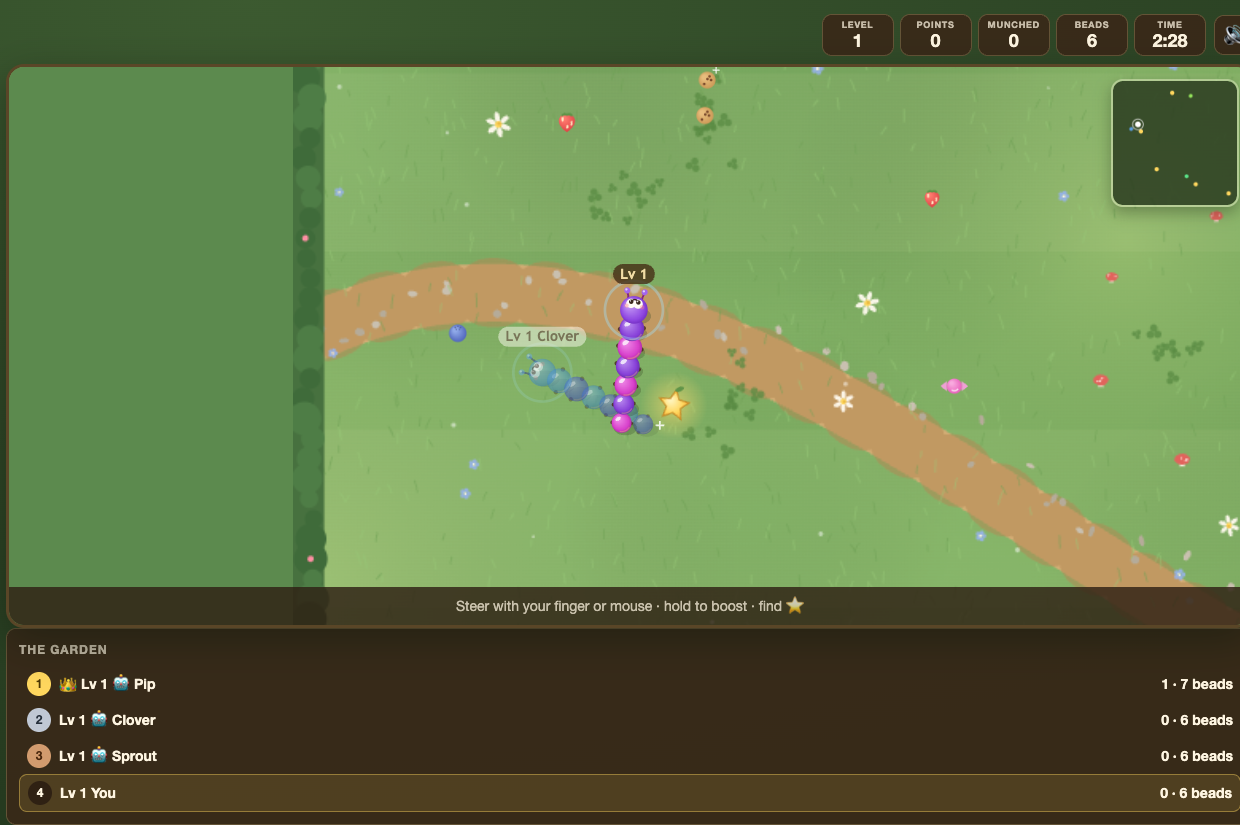 Munch Meadow is a shared movement game in which students steer a growing meadow creature, collect food, and answer questions at glowing stars.
Correct answers add growth and points. Colliding with another creature or obstacle causes a pop and respawn, so students balance fast movement with careful control.
Before you add Munch Meadow
- Select one Study Set or Question Set, with up to 12 source items.
- Choose a round length and question time suitable for your class.
- Use concise clues that students can read while the meadow action continues around them.
- Preview the steering and boost controls before introducing the game to younger students.
How students play
- Steer through the meadow and collect food.
- Hold the boost control when extra speed is needed.
- Collect a glowing star to see a Study Set question and answer blossoms.
- Steer into the blossom with the correct answer to earn points and grow longer.
- Avoid head-on collisions. After a pop, the creature respawns and the student can continue.
Classroom multiplayer
In Deck.Toys Classroom, everyone plays in one shared meadow. Students see classmates moving in real time, and computer-controlled creatures may join smaller rooms so the world still feels active.
The teacher view shows the meadow and live standings. Teachers can also drop question stars into the world to create extra opportunities for retrieval practice. The leaderboard ranks points first, followed by correct answers, fewer wrong answers, and creature length.
A collision does not end a student's game. The respawn system lets the whole class remain active until the shared timer ends.
Challenge mode
In Challenge mode, two students share the meadow with one another and with any supporting computer creatures. They collect from the same space and answer their own star questions.
The winner is decided by points, then correct answers, fewer wrong answers, and length. This rewards learning and survival rather than collisions alone.
Single Player
In Single Player, the student plays a personal round with computer-controlled creatures providing movement and obstacles. Questions and scoring work in the same way as the multiplayer game.
Single Player is a useful place to learn the controls before entering a busy class meadow.
Solo Arcade
After completing the deck, a student can open Munch Meadow from Arcade Games in Student's View, if the teacher allows Arcade play and the student has Arcade time. Solo Arcade uses the Single Player meadow with computer creatures and a compatible completed Study Set or Question Set.
Teacher tips
- Demonstrate steering, boosting, and star questions before starting the timer.
- Remind students that stars, not collisions, are the reliable path to a strong score.
- Drop extra question stars when you want to bring the class back toward learning after a long movement spell.
- Use a shorter round for an energiser and a longer round for sustained revision.