
Conveyor Clash
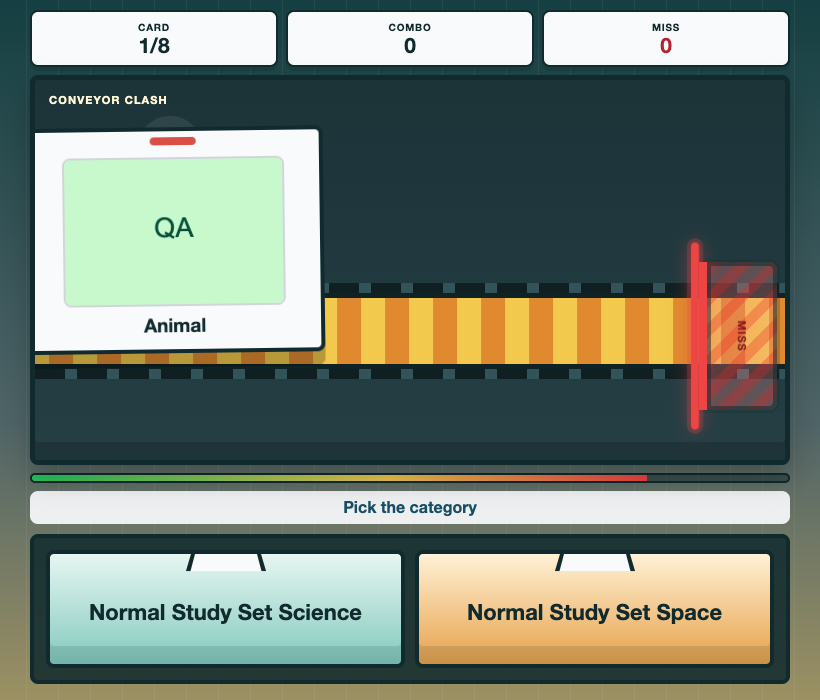 Conveyor Clash turns Study Set review into a moving sorting game. A clue travels along a conveyor and students must send it into the matching answer chute before it reaches the end.
The movement adds urgency, while the answer chutes keep the academic task clear: identify the item, decide where it belongs, and act before it becomes a miss.
Before you add Conveyor Clash
- Select one Study Set or Question Set.
- You can add a second Study Set to create a category-sorting activity between the two Study Set titles.
- Use definitions, images, or question prompts that students can recognise while the card is moving.
- Adjust the conveyor speed and answer time to suit your students' reading fluency and device size.
In the Deck Builder, add a Game, choose Conveyor Clash, select the source material, and preview the conveyor speed before assigning the deck.
How students play
- Read the clue on the moving conveyor card.
- Choose the answer chute that matches the clue.
- Submit before the card reaches the end of the conveyor.
- Build a combo with consecutive correct answers. A wrong answer or missed card breaks the combo.
Classroom multiplayer
In Deck.Toys Classroom, every student receives the same moving clue at the same time, but answers independently. The teacher view shows the live round status, including submitted, correct, wrong, and missed responses.
After the round is resolved, the next conveyor card begins for the whole class. Each student keeps a personal combo and score, so a student can recover after a mistake without affecting classmates.
Classroom mode is useful when you want a shared pace with individual accountability. The teacher can quickly see whether the class is making concept errors or simply running out of time.
Challenge mode
In Challenge mode, two students play the same conveyor sequence. The winner is the student with more correct answers; if accuracy is equal, fewer wrong answers decides the result.
Students do not need to race blindly. A correct decision is more valuable than tapping early, so the mode rewards both fluency and control.
Single Player
In Single Player, the student plays the complete conveyor independently. The game gives immediate feedback after each card and tracks the student's personal combo.
This is a good mode for repeated practice because students can concentrate on improving both accuracy and response time.
Solo Arcade
The student’s Solo chooser contains Arcade Games. This Classic Game is played through its activity in the deck or a teacher-launched round.
Teacher tips
- Use a slower conveyor for image-rich clues or longer definitions.
- Use two Study Sets when the learning goal is classification, such as mammals and reptiles or renewable and non-renewable resources.
- Review missed cards separately from wrong cards: a miss may indicate reading-time pressure rather than a misconception.
- Ask students to explain the clue-to-chute relationship after a difficult round.