
Lantern Lake
Lantern Lake: Students fish in a quiet lake, answering questions to brighten their lures.
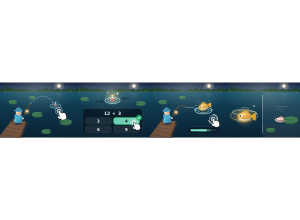
Set up
Create a Set Game, choose Lantern Lake in the game picker, and preview it before sharing with students. Choose a Study Set or Question Set for its questions.
How students play
- Tap to cast. Tap or drag on the water to cast your lure there; tap the boards or lily pads to walk.
- Brighten your lure. Answer while you wait: a right answer brightens your lure and twitches it to draw fish in.
- Hook and reel. When the float dips, tap to hook; hold to reel, but let go when the fish runs.
Play modes
- Multiplayer: The class fishes in one lake, where students can see each other cast and reel.
- Challenge: Two students fish side by side and compare their catches.
- Single Player: One student fishes at their own pace with computer anglers nearby.
- Solo Arcade: After completing the deck, a student can choose Lantern Lake in Student's View for the Single Player game, when Arcade play is enabled and they have Arcade time.
Good to know
Busy, churned water draws bigger fish; quiet water is where shy species hide.
Teacher tip
Demonstrate the hook and reel timing before the class starts.