
Marble Jar
Marble Jar is a marble-merging game. Matching marbles fuse into bigger ones, while questions refill the marble bag.
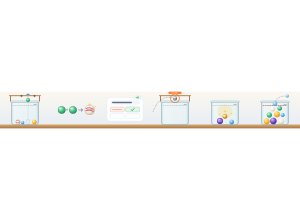
Set up
Create a Set Game and choose Marble Jar. Use a Study Set with terms and definitions or images, or a Question Set with answer choices. From the dashboard, you can also choose Play Now with class. Use Preview to try the game or watch Demo Mode.
How students play
- Aim and drop. Move the mouse, then click. On touchscreens, drag to aim and lift to drop. Use the arrow keys or A/D to aim and Space or Enter to drop.
- Merge matching marbles. Two matching marbles that touch become a bigger one. Keep the pile below MAX. If it overfills, the top marbles spill; earned points stay. Only the first five normal marble types drop. (Peewee → Clearie → Cat's-eye → Swirl → Onionskin). Creating a Moonstone immediately wins the round for its maker and team, regardless of score.
- Refill the bag. When it is empty, a correct answer adds 10 marbles. After a wrong answer, wait 3 seconds and try again. Return to dropping after the refill.
Play modes
- Multiplayer: Classmates share jars in crews within their classroom teams.
- Challenge: Two students compete with one jar each.
- Single Player: Play against a computer-controlled rival jar.
- Solo Arcade: After completing the deck, students can choose Marble Jar from their Student Gamepad when the teacher allows Arcade and Arcade time remains. It uses Single Player gameplay.
Classroom moments
Big fusions send a steel ball toward a rival jar. Move under an incoming ball and tap as its ring closes to send it back. The Golden Marble upgrades the marble it touches. During the Rattle, all jars shake together. Students earn their own shake after answering correctly; use the shake control or S.
The standard round is 2:00. Optional lengths are 1:00 and 3:00. Project the teacher view to follow jars and scores; the teacher can trigger a Rattle or end the round. If nobody creates a Moonstone before time runs out, the highest score wins.