
Super Springo
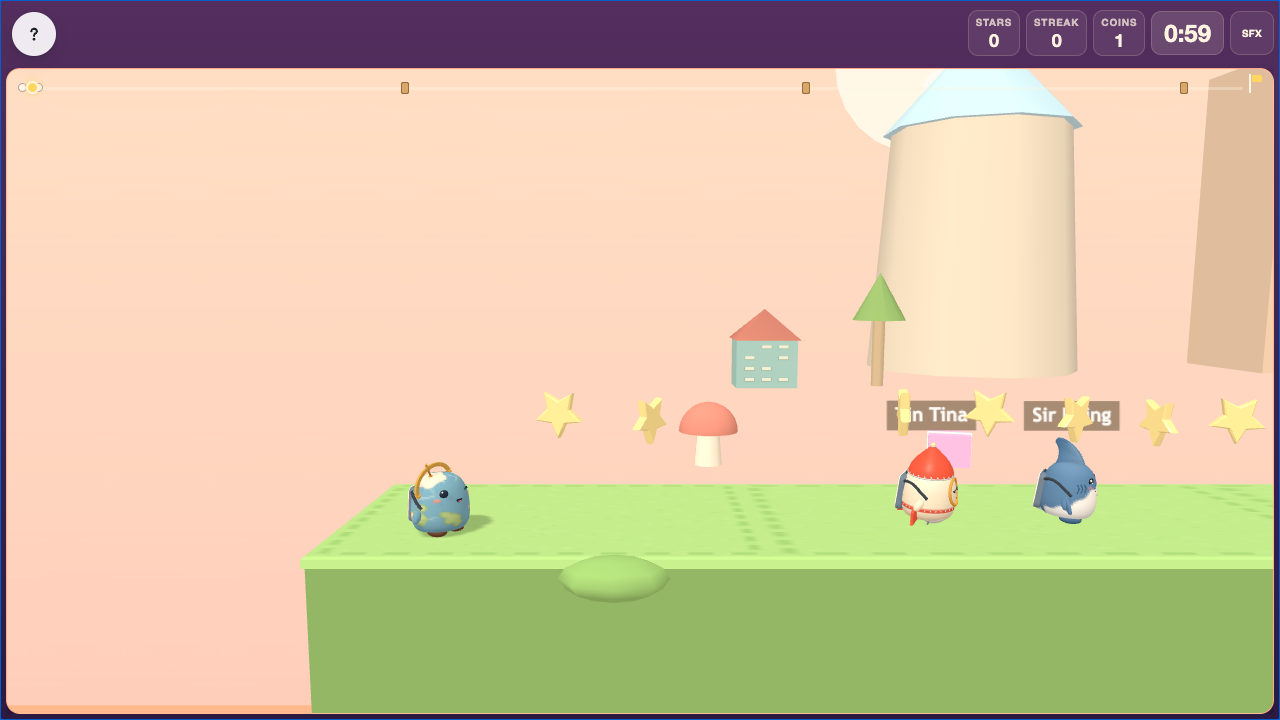 Super Springo is a side-scrolling race powered by Study Set questions. Students run, jump, collect items, avoid hazards, and answer at quiz gates by striking the block with the correct answer.
The race rewards both knowledge and platforming progress. Students can recover after a wrong answer and continue moving toward the finish.
Before you add Super Springo
- Select one Study Set or Question Set, with up to 12 source items.
- Choose the race length, pace, and world settings for the time available.
- Keep answer text short enough to read on the quiz blocks while students are moving.
- Preview the run and jump controls on the devices students will use.
How students play
- Run and jump through the course, collecting stars and coins.
- Avoid hazards or stomp suitable critters from above.
- At a quiz gate, read the clue and jump to strike the block containing the correct answer.
- A correct answer opens the way. A wrong answer is returned later, with reveal support so the student can recover.
- Continue toward the finish until the shared race time ends.
Classroom multiplayer
In Deck.Toys Classroom, students race on the same course and shared clock. They can see the live field and compare their progress while answering their own quiz gates.
The teacher view provides live standings and a Cheer action for encouraging the racers. Ranking gives priority to correct answers, then finishing position or time, fewer wrong answers, and distance travelled.
This means the fastest platforming student does not automatically win: quiz accuracy remains the most important part of the result.
Challenge mode
In Challenge mode, two students race the same course head to head. They see one another's progress and face equivalent quiz gates.
Correct answers are compared first. Finishing earlier, making fewer mistakes, and travelling farther are used after accuracy. A careful student can therefore defeat a faster student who repeatedly chooses the wrong block.
Single Player
In Single Player, the student races against computer runners and works through the quiz gates independently. It is a good way to practise the controls or review at a personal pace.
Solo Arcade
After completing the deck, a student can open Super Springo from Arcade Games in Student's View, if the teacher allows Arcade play and the student has Arcade time. Solo Arcade uses the Single Player race with computer runners and a compatible completed Study Set or Question Set.
Teacher tips
- Give students a short control practice before using scores.
- Explain that questions outrank raw speed in the final standings.
- Use concise answers so every quiz block remains readable.
- Use the Cheer action to focus attention on persistence and improvement, not only the leader.